.png)
Learn how presales is evolving and howyour team can stay ahead in atech-driven sales landscape.

Your buyer finally agrees to a demo after weeks of back-and-forth — then technical glitches derail the presentation. Or worse: you nail the demo, only to discover three key stakeholders weren't on the call and you have to run the whole thing again.
Scenarios like these play out every day in B2B sales. According to Gartner, it takes an average of three product demos to close a deal — and that number rises significantly for complex enterprise products. Every demo that fails to land, runs late, or reaches the wrong person is pipeline velocity lost.
The right sales demo software changes this entirely. It lets you build polished, personalized, interactive demo experiences without engineering support — and connect every demo touchpoint to the qualification and revenue data your sales team actually needs to act on.
This guide compares the eight best platforms honestly, covers the four types of sales demo software you'll encounter, and gives you a practical framework for choosing the right one. If you're building or rebuilding your demo stack in 2026, start here.
Want to see the qualification system in action? Explore the Demoboost sandbox demo →
Demoboost is the only platform built to turn demo engagement into pipeline data — See how it works →
Not every team needs a dedicated demo platform on day one. But several signals make a compelling case to invest.
If prospects have to wait for a solutions engineer to get a demo, you're losing deals to faster competitors. Demo software lets you ship self-guided experiences that work asynchronously — the buyer explores on their own time, and the SE steps in when it actually matters.
When every SE runs a different demo, you have no control over the narrative, the proof points, or the experience quality. Demo software creates a governed library of repeatable, approved experiences — every buyer gets the same standard, regardless of who delivered the demo.
The more complex your product, the harder it is to show the right things to the right buyer in the right sequence. Demo software lets you build use-case-specific flows — so a CFO sees a financial reporting demo and a sales manager sees a pipeline visibility demo, not the same generic walkthrough.
If you don't know which demos your prospects are watching, how long they spend, which sections they replay, or whether they share the demo internally — you're flying blind. Modern demo software provides this signal and routes it to sales automatically.
Demo software dramatically shortens ramp time for new hires. Instead of shadowing senior reps for weeks, new AEs and SEs can study the demo library and start delivering consistent demos from week one.
If demo activity lives in a separate tool and never reaches Salesforce or HubSpot, your sales team is missing a critical qualification signal. CRM integration is now table stakes for growth-stage teams. See our guide to demo automation solutions and top use cases for a full breakdown of how this works in practice.
In 2026, a self-guided interactive demo experience is a baseline expectation for serious B2B SaaS buyers. If competitors offer self-serve product exploration and you don't, you're losing evaluation-stage deals before a rep has even spoken to the buyer.
Before evaluating specific platforms, it's worth understanding the four categories. The best platforms combine multiple types — but knowing the distinctions helps you match the right tool to the right use case.
Screen recording tools capture your screen (and optionally webcam) and produce shareable video demos. Fast to create, easy to distribute. Best for early-stage async demos, follow-up content, and internal training. The limitation: passive viewing — the buyer watches, but doesn't interact.
Best for: Early-stage outbound, quick follow-ups, async communication. Examples: Arcade, GuideFlow, Consensus.
Interactive demo software creates guided, clickable walkthroughs of your product. Buyers can explore at their own pace, follow a curated flow, and experience the product without needing live access. More engaging than recordings, faster to build than sandbox environments.
Best for: Marketing-embedded demos, top-of-funnel qualification, self-serve website demos. Examples: Demoboost, Navattic, Storylane, Arcade, Supademo.
Want to see the qualification system in action? Explore the Demoboost sandbox demo →
Live demo platforms support real-time product demonstrations during calls. Includes live environment controls — making the edits to the demo data less cumbersome. The SE stays in control of the experience without coding the changes to the demo environment.
Best for: Mid-to-late stage discovery calls, technical validation, multi-stakeholder live events. Examples: Saleo.
Sandbox demos are the most advanced category. They create a fully interactive, high-fidelity demo environment that behaves like the real product — without touching production code. Buyers can explore non-linearly, enter data, and experience complex workflows. This is the standard for enterprise SaaS with complex products.
Best for: Enterprise deals, complex use cases, POC environments, and advanced presales workflows. Examples: Demoboost, Reprise, Storylane (sandbox tier).
Bonus read: If you're deciding between building your own sandbox environment or using dedicated software, our build vs. buy guide for demo software breaks down the true cost of each approach.
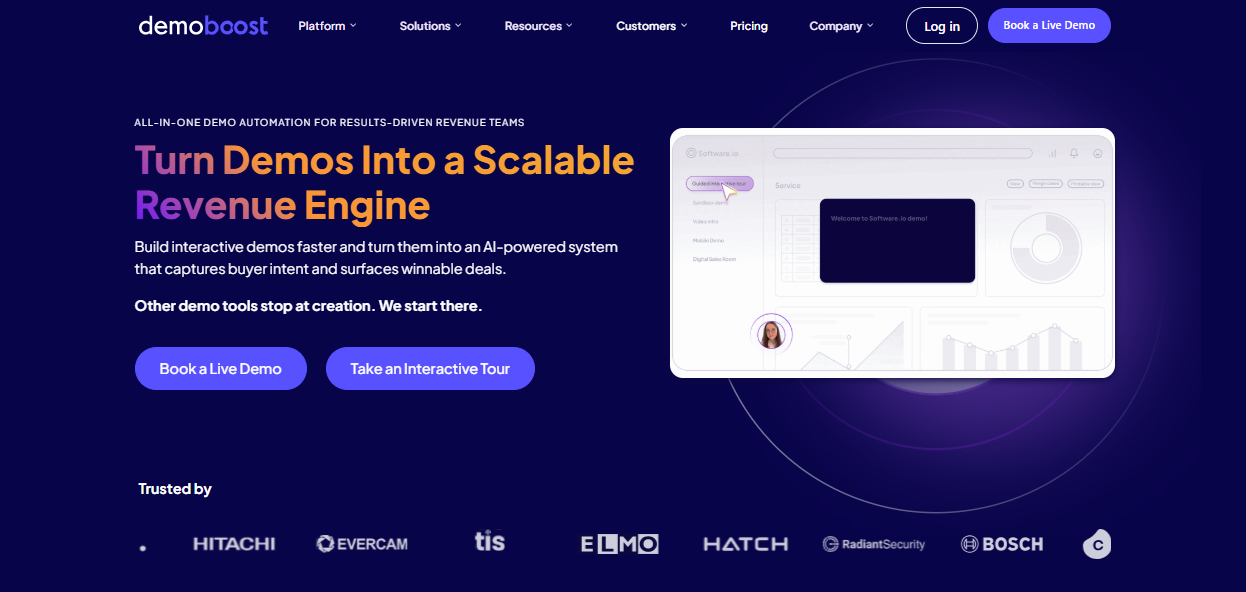
Best for: Mid-market and enterprise B2B SaaS teams with dedicated presales or SE functions who want demos to qualify buyers and connect to pipeline data.
Demoboost is the only platform in this category built end-to-end around the premise that demos are a pipeline engine — not just a sales activity. It covers the full demo lifecycle: creation, qualification, revenue intelligence.
Standout capabilities:
Ideal for: Presales leaders who want to reduce unqualified demos, scale SE capacity, and create a measurable connection between demo engagement and closed revenue. Start with the Demoboost Interactive Demo Playbook to understand how the full system works.
Pros:
Cons:
Pricing:
See pricing options or contact the team for a quote.
Best for: Enterprise sales teams dealing with complex buying committees where multiple stakeholders need separate, personalised demo experiences.
Consensus pioneered "demolytics" — the tracking of which stakeholders watched which demos and for how long. For deals where the SE never directly speaks to economic buyers or technical evaluators, Consensus lets champions distribute personalised demo assets and tracks engagement across the entire buying group. Buyers who engage with nine or more demos via Consensus show close rates above 55%.
Standout capabilities: On-demand video demos, interactive product tours, AI-powered product simulations, DemoBoards and BuyerBoards for buying group alignment, demolytics with heat maps, AI Agents that deliver personalised experiences in real time.
Pros:
Cons:
Pricing:
Best for: PLG SaaS companies embedding self-serve product tours on website pages, in email sequences, and across marketing flows.
Navattic is the go-to interactive demo tool for PLG-oriented teams. Its no-code builder captures browser-based product screens and produces clean, embeddable walkthroughs quickly. Strong on marketing analytics and account identification — weaker on presales depth and enterprise governance.
Standout capabilities: No-code demo builder, pixel capture, personalisation variables, account tracking and deanonymisation, engagement alerts via Slack/email, HubSpot/Salesforce/Marketo integration, offline demo support.
Pros:
Cons:
Pricing:
Best for: Sales and marketing teams that need to build and distribute polished demos quickly, without a dedicated presales function.
Storylane's core strength is speed. Reps can capture a product walkthrough using a browser extension and produce a shareable interactive demo in minutes. It supports both guided demos and sandbox environments, and its AI tools — content generation, voiceovers, avatar creation — are well-regarded by high-volume teams.
Standout capabilities: Browser extension capture, AI HTML editor, AI content and voiceover generation, sandbox demos, Buyer Hub for multi-stakeholder centralisation, account deanonymisation, CRM integrations.
Pros:
Cons:
Pricing:
Best for: Sales engineers running live demos of complex products who need full control over demo data without a separate staging environment.
Saleo lets teams inject customisable, realistic data directly into their live SaaS product — creating polished, scalable live demo environments without maintaining separate instances. Trusted by enterprise customers including SAP, HubSpot, Seismic, and Clari.
Standout capabilities: Real-time data injection into live product, sandbox customisation mirroring customer brand and layout, automation of sandbox and POC experiences, intuitive interface despite advanced backend capability.
Pros:
Cons:
Pricing: Available on request. Contact Saleo for a custom quote.
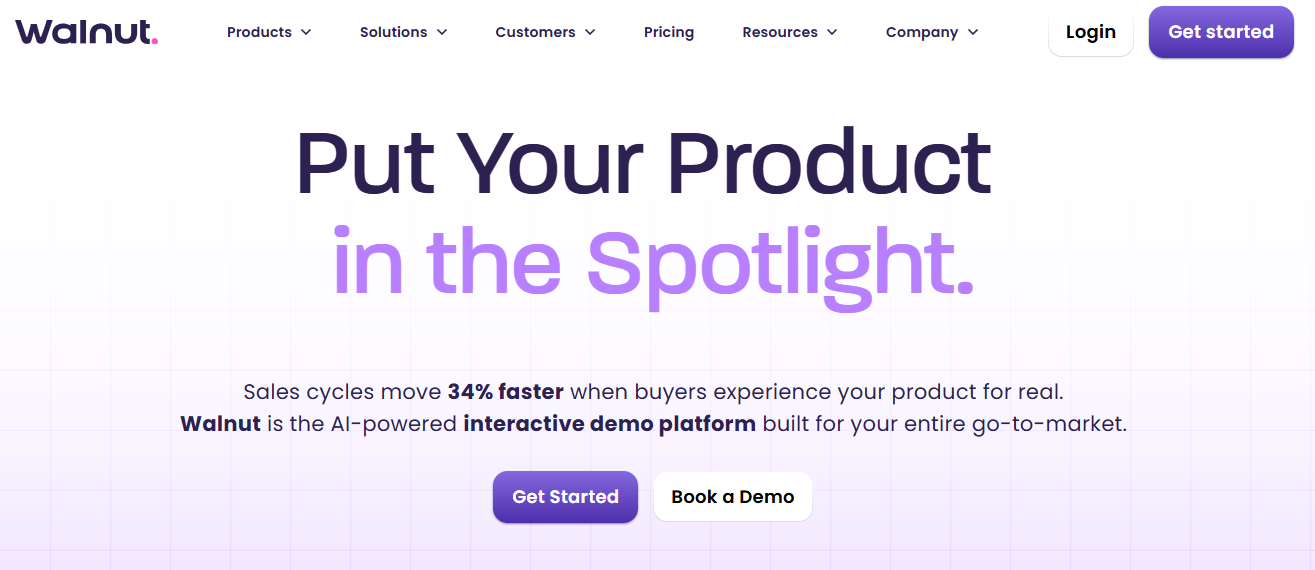
Best for: Sales-led teams where AEs own demo personalisation per account, with deal-level tracking and CRM integration.
Walnut positions itself squarely in the sales-led motion. AEs use the Demo Wizard to personalise demo content per account quickly, and the platform connects to Salesforce and HubSpot for deal-level tracking. Better for rep-driven personalisation than for centralised presales governance.
Standout capabilities: Demo capture and editing (text, images, graphs), Demo Wizard for instant personalisation, demo library organised by funnel stage or use case, analytics synced with CRM, optimisation tools based on performance data.
Pros:
Cons:
Pricing:
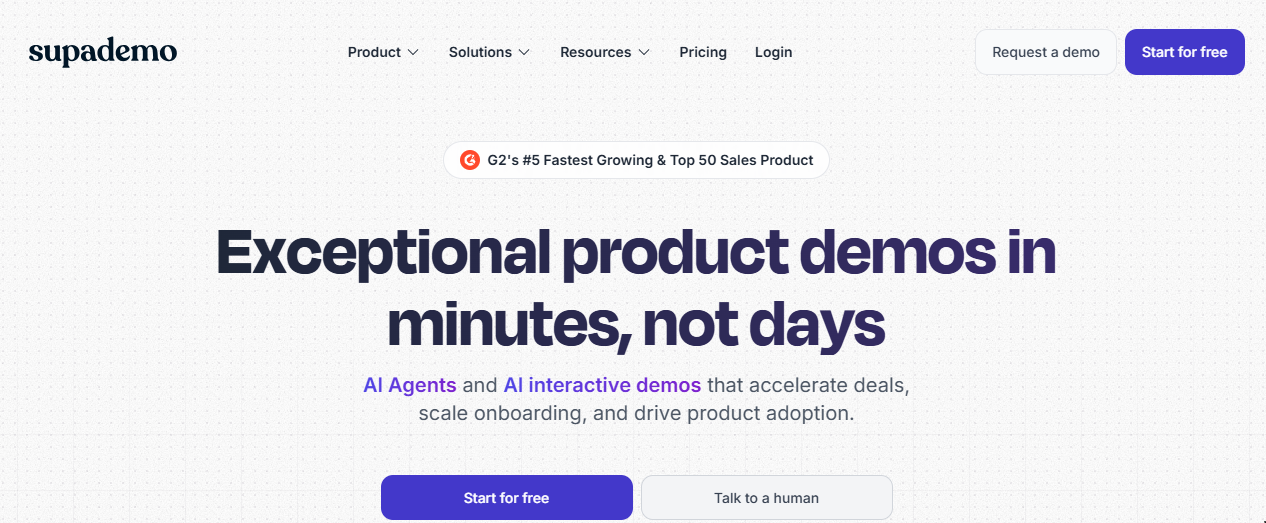
Best for: Small SaaS teams wanting interactive demos without a significant budget commitment, and teams building step-by-step product walkthroughs for onboarding or support.
Supademo covers the essentials cleanly and earns consistent praise for its workflow recording experience and persona-based journey mapping. The Chapters feature — breaking demos into digestible sections — is a practical differentiator for product education use cases.
Standout capabilities: Chrome extension capture (HTML, screenshots, video), AI voiceovers and annotations, dynamic variables, branching, multi-demo showcases, persona-based journey mapping.
Pros:
Cons:
Pricing:
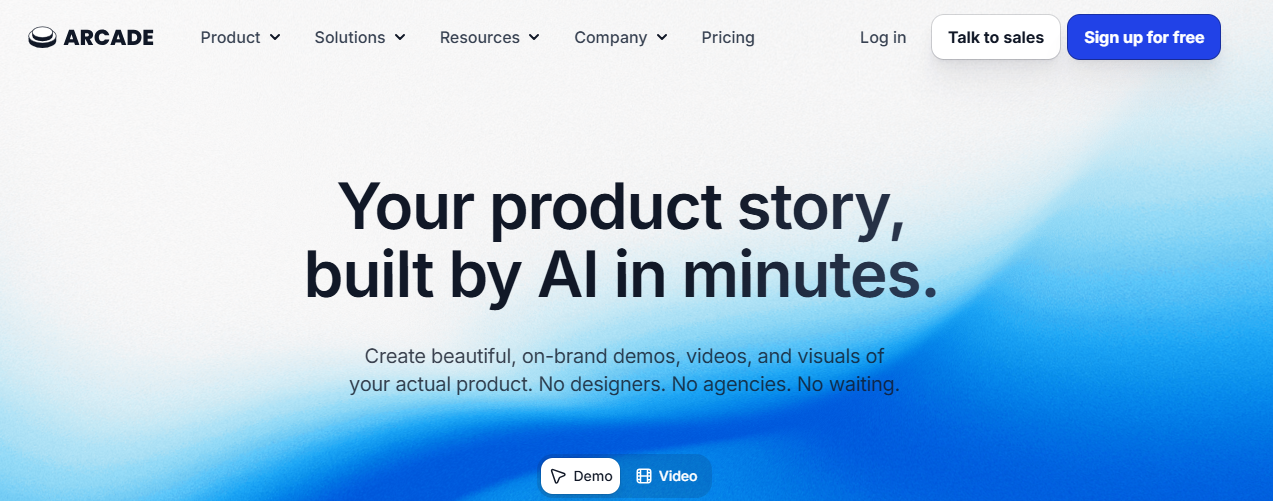
Best for: Marketing teams and early-stage SaaS companies creating short, polished product tours for websites, social media, and campaigns.
Arcade trades depth for speed and visual quality. The median publish time is six minutes — making it the fastest path from idea to shareable demo in the category. 95% of G2 reviewers report improved engagement across use cases. Not built for presales complexity, but excellent for top-of-funnel awareness.
Standout capabilities: Chrome extension capture, content remixing (combine screenshots, recordings, and existing demos), intuitive customisation tools, CRM integration for key account tracking.
Pros:
Cons:
Pricing:
A demo platform that doesn't connect to Salesforce or HubSpot creates a data silo. Demo engagement data needs to reach the contact and opportunity level — not just as a log entry, but as an actionable signal that routes to the right rep automatically. Test the integration under realistic conditions before signing.
Can the platform personalise demos per prospect without manual effort per deal? Logo swapping and variable replacement are table stakes. The leading platforms go further: AI-generated branded templates, dynamic data views, and use-case-specific flows that update automatically.
Session-level analytics (total views, average session time) are marketing vanity metrics. Sales qualification needs contact-level data: who viewed the demo, what they engaged with, how many times they returned, and whether they shared it internally. If the platform can't identify individual viewers, it can't drive qualification.
Match the fidelity requirement to your product complexity and deal size. A PLG product at $50/seat converts with a lightweight click-through tour. An enterprise product at $200K ACV needs a sandbox demo that feels like the real thing. Don't buy a tool that's optimised for the wrong end of this trade-off.
For teams with more than a handful of SEs or AEs publishing demos, governance matters. Who can publish? How do you retire outdated versions? How do you know which demo is the current approved asset? Look for folder structures, role-based permissions, approval workflows, and demo status controls. Missing governance at scale creates demo sprawl — and demo sprawl creates compliance risk for enterprise deals.
AI is now reshaping every part of the demo creation process: auto-branding per prospect, dynamic data generation, script drafting from a prompt, and surfacing buying signals from engagement patterns. Platforms not actively building AI capabilities will fall behind quickly. Ask every vendor about their AI roadmap, not just current features.
Don't start trials before completing this groundwork — it saves weeks of wasted evaluation time.
Are you running sales-led demos (SE leads), self-serve demos (buyer explores independently), or a hybrid (self-serve qualification → SE-led deep dive)? Most growth-stage B2B teams benefit from the hybrid — a qualification demo layer that pre-qualifies buyers before the SE gets involved.
Before talking to any vendor, write down the three product scenarios that drive the most demos. Evaluate every platform against these scenarios — not the demo the vendor builds for you using their own product.
Short-list two or three platforms. Give each a two-week PoC window. Assign the same three use cases to each. Build the demos yourself. At the end, compare the output — both the experience quality and the time it took to produce.
Create a test contact. Send them a demo. Simulate high-intent behaviour — multiple views, long sessions, share with a second contact. Confirm that the engagement data appears in your CRM at the contact level automatically.
Change one UI element or workflow step and measure how much manual work is required to update the demo experience. For complex products, maintenance matters as much as creation speed. Ask whether the platform supports reusable screens, connected navigation, and structured demo management — or whether every change requires manual rebuilding.
Demo software is a sales tool. If sales leadership isn't bought in, adoption fails — and adoption failure is the most common reason demo software investments don't deliver ROI.
How to Choose the Right Demo Software Vendor
Questions that separate genuine capability from marketing claims:
Start with one master demo per major use case. Start with one core sandbox demo per major use case, then structure it around connected screens and realistic navigation paths. With Global Linking, you can connect screens through internal navigation so buyers or presenters can move naturally between workflows inside the same demo. This makes complex use cases easier to present without asking engineering to build or maintain a separate demo environment. This is the core principle behind sandbox demos with Global Linking.
One person — typically a senior SE or presales lead — controls what goes into the approved library, when demos are archived, and who can publish new variants. Without a named owner, governance degrades within months.
Send a self-guided qualification demo immediately after a prospect books a call. Structure it around use-case selection — the buyer picks their scenario, the SE receives the engagement data before the call starts. Discovery calls start informed, move faster, and close better.
Set up CRM alerts for high-intent demo behaviour: repeat visits within seven days, demo shared with additional contacts, time-on-demo above a threshold. These are buying signals. Sales should know about them in real time — not in a weekly report.
A quarterly calendar reminder to audit the demo library. Retire outdated demos, update anything reflecting old UI, and confirm the approved library still maps to your current ICP and use cases. A twelve-month-old demo is a liability, not an asset.
A team of five SEs each saving four hours per week on demo prep equals 20 hours per week reclaimed for high-value presales work. At a fully-loaded SE cost of $100/hour, that's $2,000/week in recovered capacity — before accounting for higher demo quality, better qualification rates, and shorter sales cycles. Demo software isn't expensive. It's a leverage multiplier on your most expensive headcount.
Explore the Demoboost Interactive Demo Playbook →
The best sales demo software in 2026 is not the one that makes demos fastest — it's the one that makes demos work. The gap between a demo that looks impressive and a demo that qualifies buyers, routes signals to sales, and connects to your pipeline data is the gap between a tool and a system.
For teams serious about building a demo-driven pipeline, Demoboost is the platform built specifically for this outcome. Sandbox demos with Global Linking solve the update and consistency problem. AI Graphs, AI Branding, and AI Helper solve the personalisation-at-scale problem. Lead Analytics and the CYOJ qualification system solve the signal problem. And Salesforce Integration closes the loop between demo engagement and revenue data.
Others in this category help you create demos faster. Demoboost helps you understand which demos drive revenue — and build more of them.
Stop guessing which demos drive revenue. See how Demoboost connects demo engagement to pipeline — Explore an interactive demo →
The most effective approach in 2026 is a three-layer demo motion: (1) a self-serve awareness demo embedded on your website or sent at first contact — short, pain-led, low friction; (2) a qualification demo sent after a prospect books a call — structured around use-case selection so the SE walks into the discovery call knowing exactly what the buyer cares about; (3) a high-fidelity sandbox demo for mid-to-late stage evaluation — personalised to the prospect's industry, data, and visual identity. Each layer serves a different purpose and requires a different level of production effort.
When prospects can explore a realistic, personalized demo experience before requesting a trial, two things happen: buyers self-qualify their intent (reducing unqualified trial signups), and the trials that do happen are from buyers who already understand the product's value. Demo engagement data — sections viewed, time-on-demo, repeat visits — also gives your team a much richer qualification signal than a trial signup alone, allowing sales to prioritise the right accounts before the trial even starts.
It depends on the platform and the use case. Tools like Arcade, Supademo, and Storylane have very low learning curves — most users build their first demo without formal training. Platforms like Demoboost, Consensus, and Saleo have more depth and therefore a steeper initial learning curve, but the payoff is significantly higher for teams with complex products and structured presales motions. The right question isn't "is it easy?" but "is it easy for the person who'll own it to produce the outcome we need?"
A Demo Qualified Lead is a prospect who has demonstrated genuine purchase intent through their demo engagement behaviour — for example, viewing a demo multiple times within a short window, spending significant time on pricing or integration sections, or sharing a demo with additional contacts from their organisation. DQLs are a more reliable indicator of purchase readiness than traditional MQL scoring because they're based on product engagement behaviour, not just content consumption.
A click-through demo is a linear walkthrough of screenshots. It moves in one direction, doesn't respond to free exploration, and requires the viewer to follow a predetermined path. A sandbox demo is a high-fidelity interactive environment that behaves like the real product — buyers can explore non-linearly, enter data, and experience dynamic responses. Sandbox demos are significantly more convincing for complex products where the value is in the workflow, not just the interface. See our deeper breakdown in what is a sandbox demo.
With modern demo software, no. Platforms like Demoboost, Navattic, Storylane, and Walnut let presales and marketing teams build, update, and personalise demos without any developer involvement. The key distinction is between platforms that capture browser-based product screens (removing the engineering dependency) and older sandbox approaches that required dedicated demo environments maintained by engineering. The former is now the standard.
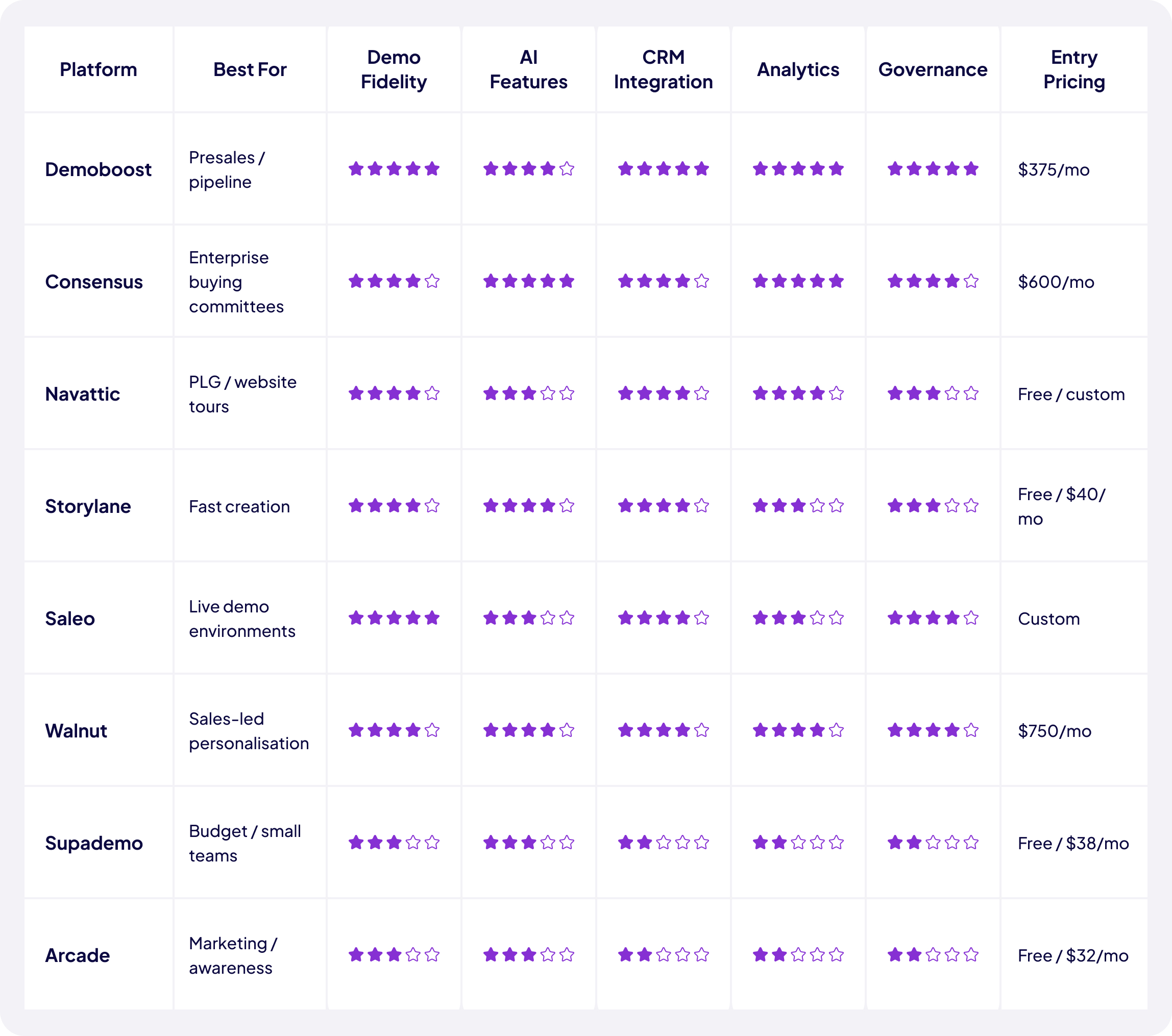
Mid-market teams (5–30 AEs and SEs) typically spend between $500 and $1,550 per month on a full-featured demo platform, depending on seat count, feature tier, and CRM integration requirements. Storylane and Walnut both start at $750/month for their core tiers. Navattic starts at $500/month. Demoboost uses custom pricing based on team size. Supademo offers the lowest entry point at $27/creator/month for its Pro tier.
The five most important criteria: (1) demo fidelity appropriate for your product complexity, (2) AI-powered personalisation at scale — branding, data, scripting; (3) contact-level analytics and native CRM integration; (4) governance controls appropriate for your team size; (5) qualification demo capability — the ability to send buyers a structured self-serve experience that feeds use-case and intent data to sales before the discovery call.
For most B2B sales motions, no — but it changes when live demos happen and who participates. Self-serve qualification demos replace the early-stage overview call. Live SE-led demos shift to later-stage, high-value moments where the SE is genuinely needed. The result is fewer live demos per deal — but those demos are better-prepared, better-qualified, and close at a higher rate.
Key metrics: (1) time-to-demo from request to delivery; (2) qualified demo rate — demos resulting in a next step as a percentage of total demos delivered; (3) demo-to-SQL conversion rate; (4) SE capacity reclaimed — hours saved on demo prep per week; (5) demo-influenced pipeline — deals where a demo touchpoint preceded opportunity creation or advancement. For the full breakdown of how to build a demo-driven pipeline measurement framework, see the Demoboost Interactive Demo Playbook.
Book a live demo to see how Demoboost helps your team cut demo prep time, qualify buyers faster, and focus on real opportunities.
Book a Live Demo

.png)
.png)
